

When to use this
VIP customers
Enterprise customers need higher limits than your default tier.
Partners & integrations
Integration partners building on your API need room to grow.
Throttle abusers
Reduce limits for suspicious users without blocking entirely.
Testing & debugging
Temporarily increase limits for specific test accounts.
How it works
- You define default limits in your code
- Create overrides in the dashboard for specific identifiers
- When that identifier is rate limited, Unkey uses the override instead of the default
Create an override
Go to your namespace
Click Ratelimit in the sidebar → select your namespace → Overrides tab.If you don’t have a namespace yet, create one first.
Add the override
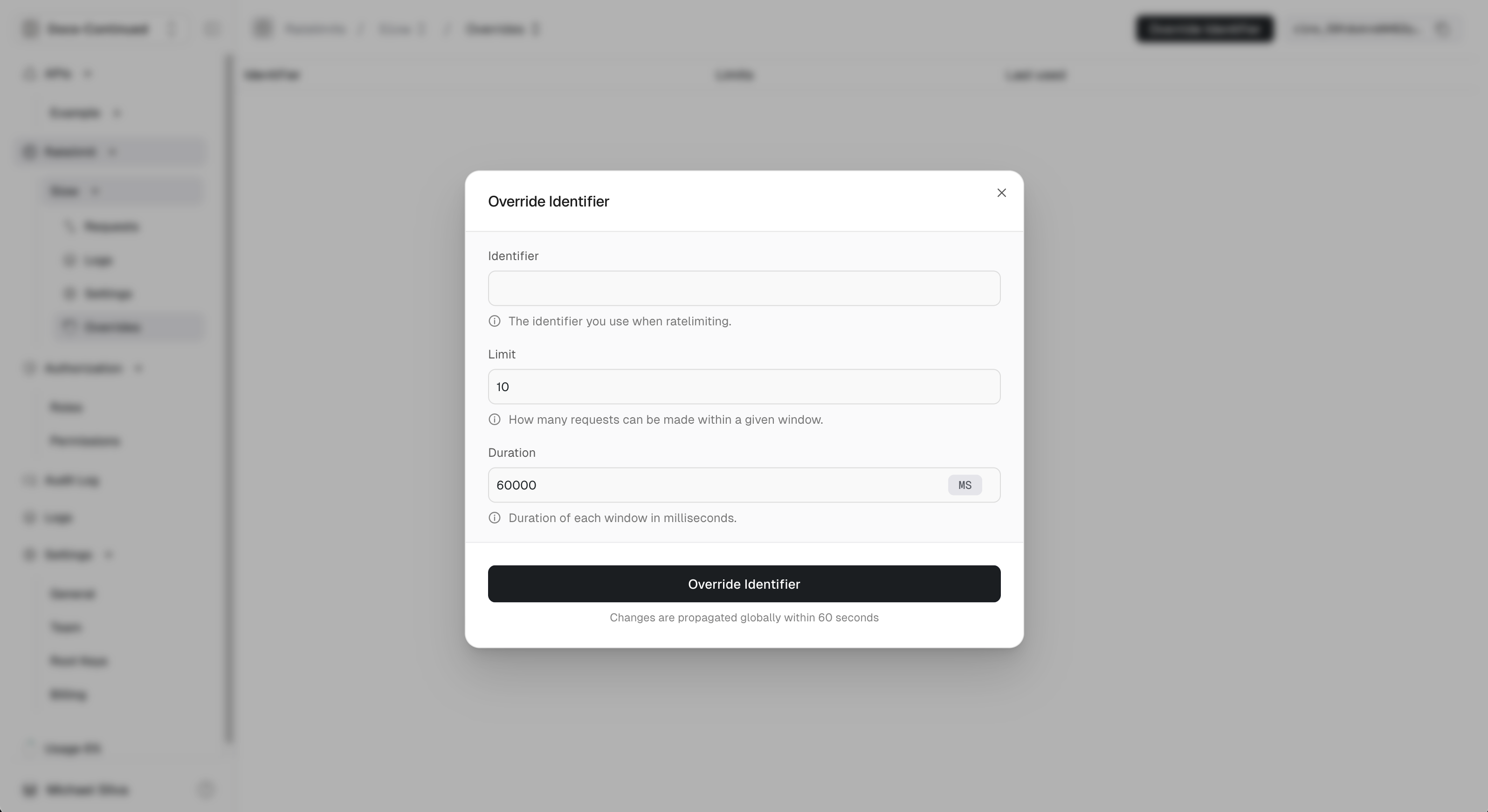
- Identifier: The exact identifier or wildcard pattern
- Limit: Custom request limit
- Duration: Time window for the limit
Example: Enterprise customer
Your default limit is 100 requests/minute. Acme Corp needs 10,000/minute.| Identifier | Limit | Duration |
|---|---|---|
acme-corp | 10000 | 60s |
acme-corp hits your API, they get 10,000/min instead of 100/min.
Wildcard patterns
Use* to match multiple identifiers at once.
Examples
| Pattern | Matches |
|---|---|
*@acme.com | alice@acme.com, bob@acme.com, api@acme.com |
enterprise:* | enterprise:123, enterprise:acme, enterprise:test |
user_*_prod | user_123_prod, user_abc_prod |
Priority
Exact matches always win over wildcards:| Override | Limit |
|---|---|
*@acme.com | 500/min |
ceo@acme.com | 10000/min |
ceo@acme.com→ 10,000/min (exact match)anyone-else@acme.com→ 500/min (wildcard match)user@other.com→ default limit

Managing overrides via API
Create overrides programmatically:- Automatically increasing limits when users upgrade
- Syncing limits from your billing system
- Temporary increases during promotions
Common patterns
Tier-based limits
${plan}:${userId}